FAQ
Frequently asked questions
Unable to sync to server (401 credential expired).
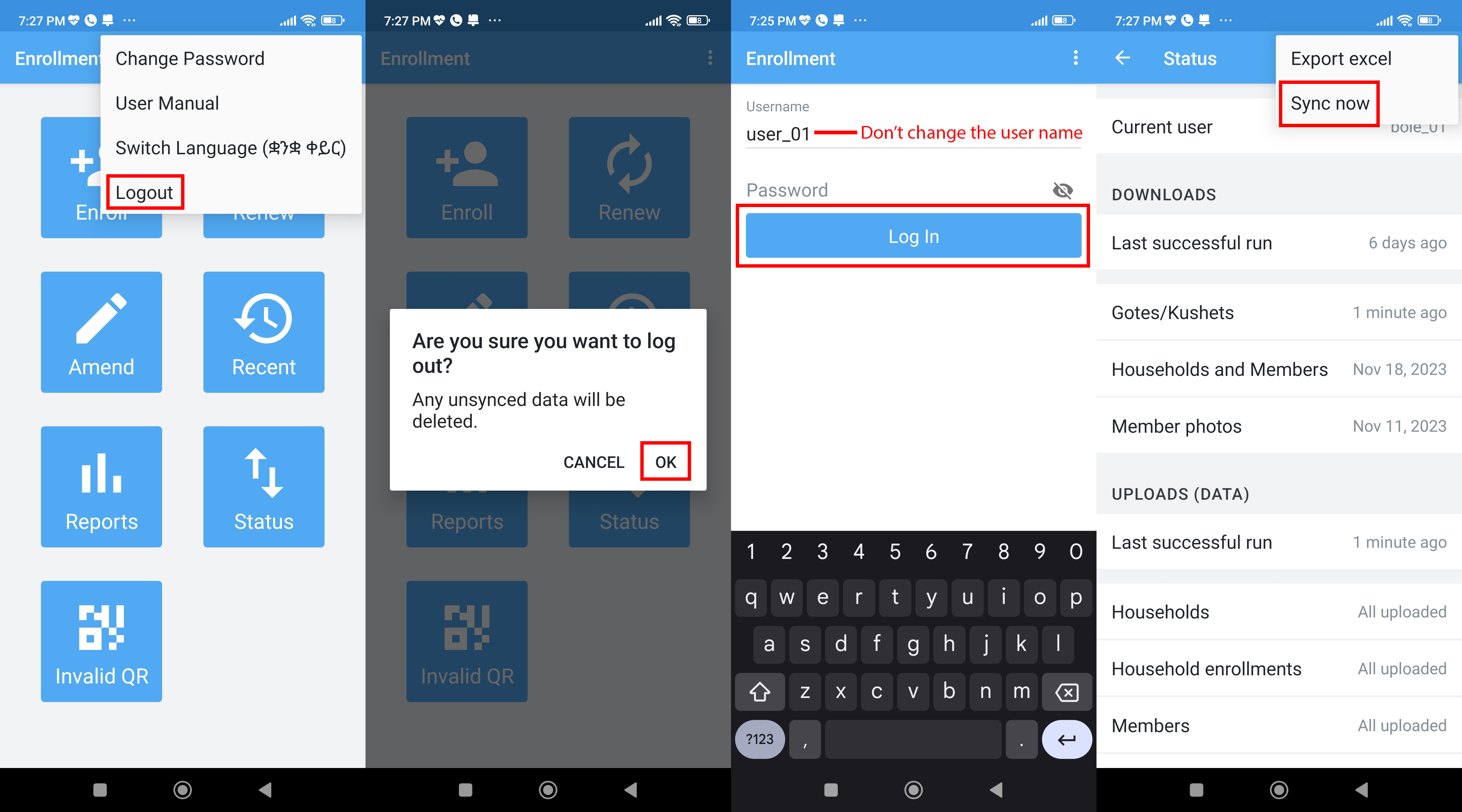
Your credential expires every 2 weeks for security reasons. The solution is to login to the app again. To do that go to the home page. Click on the three-dot icon. Then click on logout. A small window pops up says un synced data will be deleted. The only way your un synced data will be deleted is if you change your username, So please do not change your user name. Click on ok. The login page will display. Put on your password and press login. After login go to status page and sync your data to server by clicking on the three-dot icon and selecting the sync now menu. For more information refer to the screen shots below.
|
Fig 1.1: Sync issue solution. |
Unable to sync to server (502 Server bad gateway).
If you are getting 502 bad gateway that means the server is too busy to respond for your request. The solution is to try to sync your data after working hours. The app is capable of working offline so you don’t need internet connection to enroll a member. After working hour the traffic to the sever is idle. So try to sync during that hour.
How to renew a household.
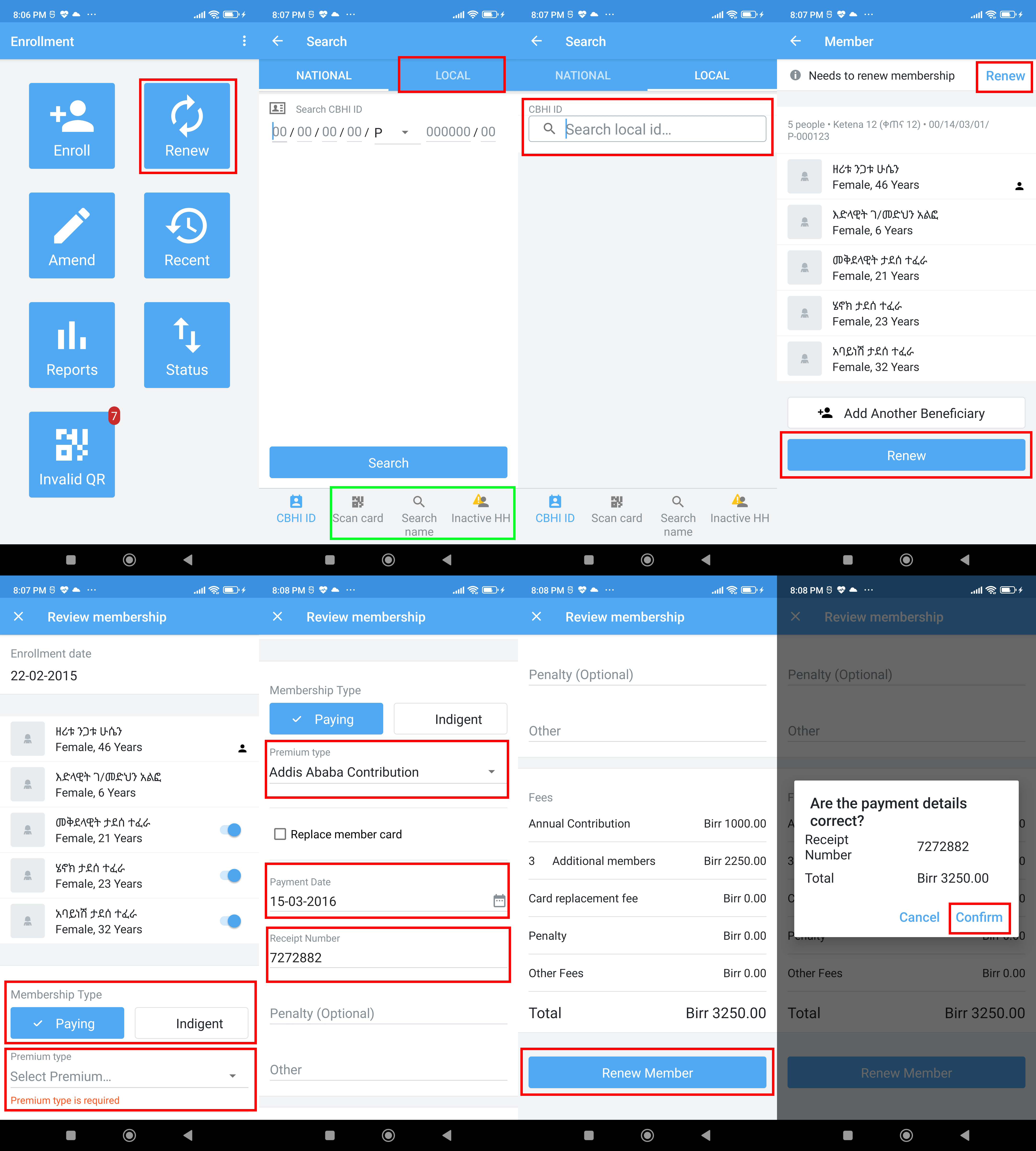
To renew a household, select the Renew menu. The find member window opens. There you can use different search option to find a member. You can use National or Local CBHIID search options, you can use QR code search option, you can use name search option or Inactive household option. After finding the member click on it and a renewal page opens. There click on renew button. A receipt or payment page opens. In the receipt or payment page you can put the necessary details and click on renew button at the bottom of the screen. A small conformation window opens confirming payment details. Click on confirm.
|
Fig 1.2: Renew a household. |
How to view a single day report on mobile app.
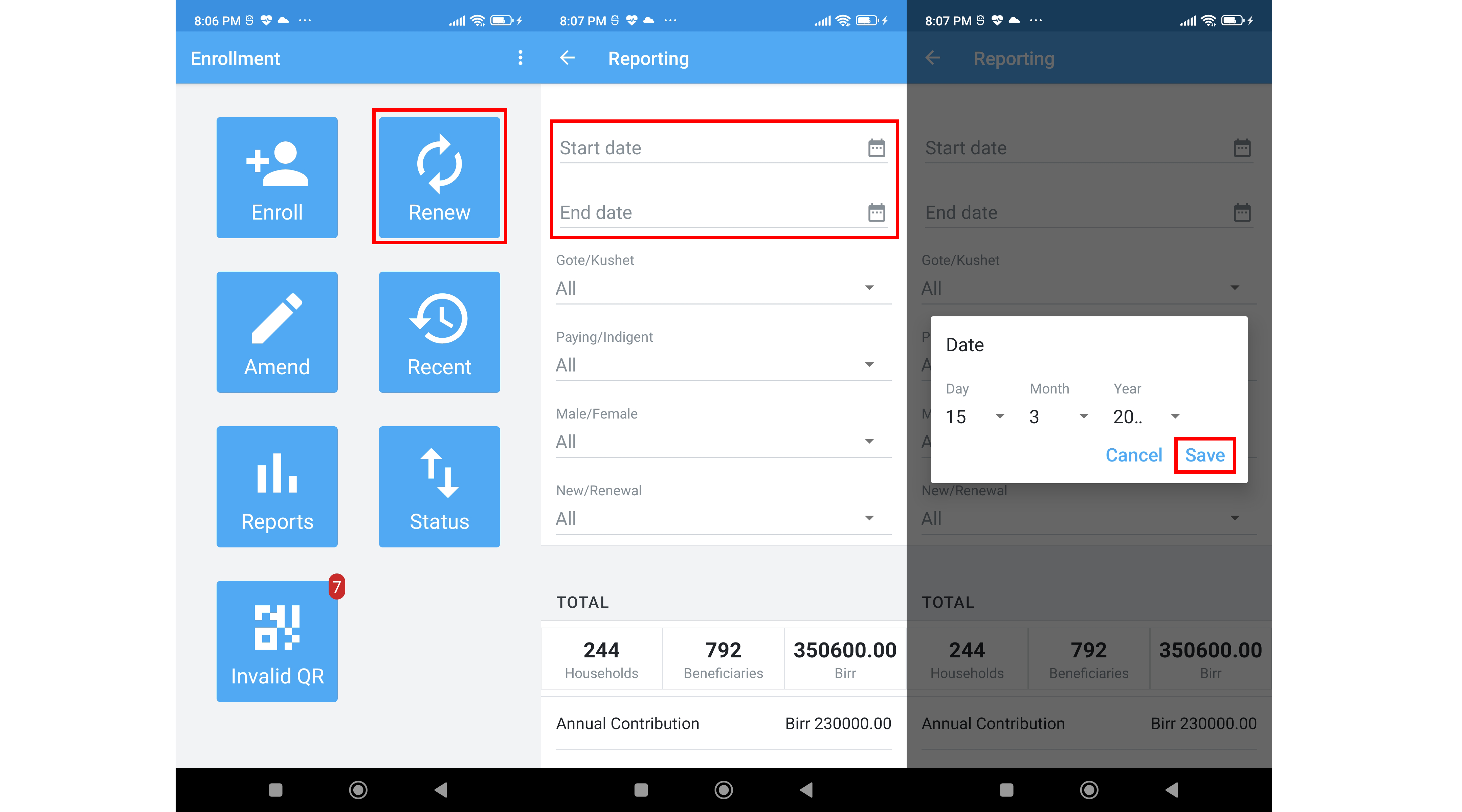
To view the daily report, go to the report menu and enter the start and end date ranges. The report will be displayed based on the input dates.
|
Fig 1.3: View daily reports. |
How to view report at sub city level (Enrollment coordinators).
For enrollment coordinators to view a report go to etnhis.org login and open the report tab.